Set one design for the batch.
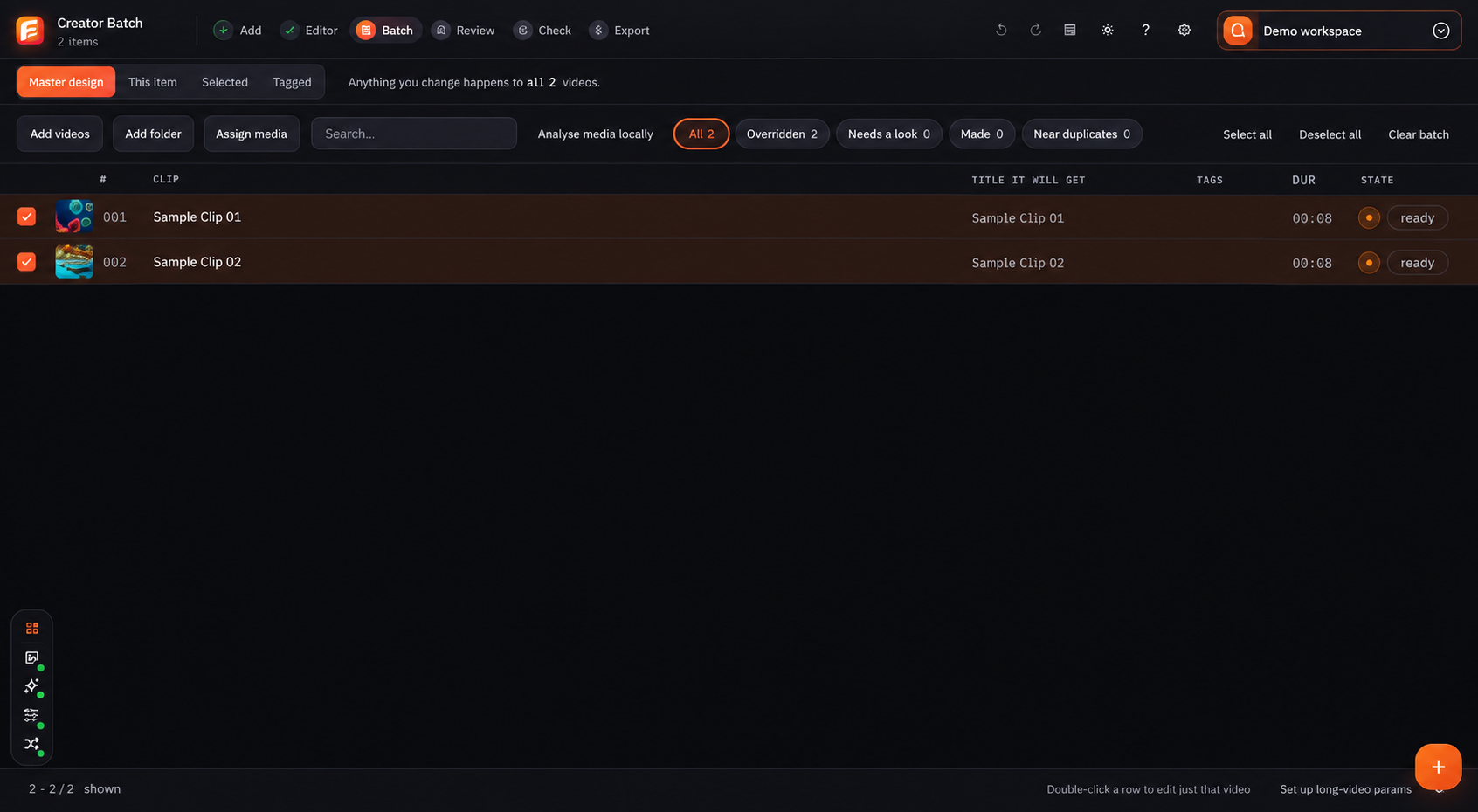
Master design changes every video. This item changes the open video. Selected and Tagged change only the group you choose. Keeping that choice visible makes a large job much easier to understand.
Add files and solve missing media first
Choose Add videos or Add folder. Search and assign media while keeping each title, tag, length and state visible. Fix missing-file warnings before you start detailed editing.
Set the Master design, then read Batch
Build the normal look in Master design. Batch shows which videos use that design and which ones were changed. Use All, Changed, Needs a look, Made and Near duplicates to find the next action.
Change only the videos that need it
Use This item for one video, Selected for videos you ticked, or Tagged for a named group. Return to Master design before making the next change that should affect every video.
Review every video before export
Review shows Total, Regular, Special and Needs attention counts. Preview a card, open the exact video that needs a fix, then return to Review until the warnings are clear.