The screen is designed to answer “what now?”
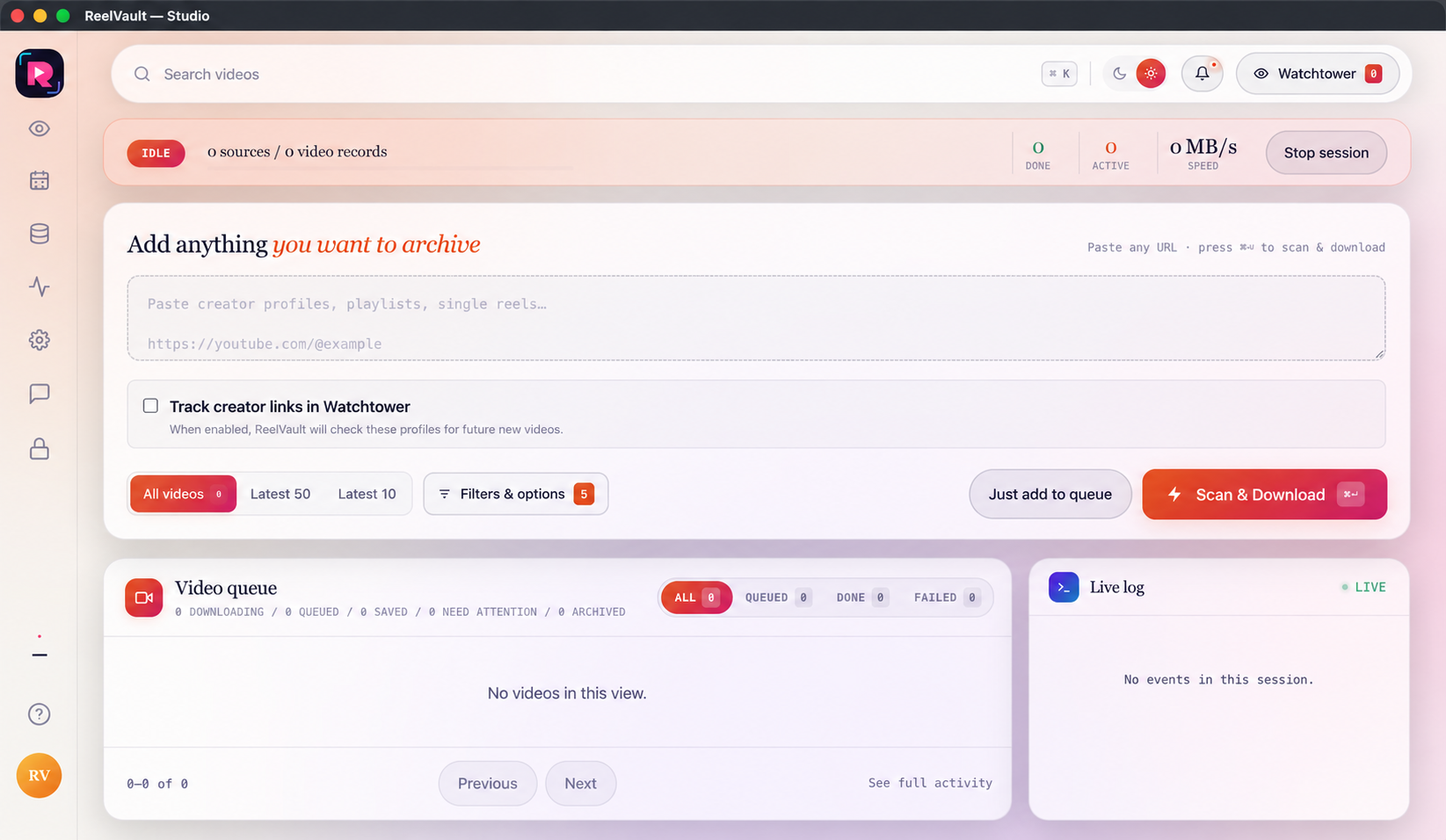
Studio is your first stop for profiles, playlists, single reels and video URLs. Start small when you are testing access, then collect more after the source works correctly.
Bring in a source
Paste one or more authorised links into the large intake field. Keep one source per line when you want separate queue records. You can add a creator profile, a playlist or a single item without changing screens.
Choose the range before you scan
Use All videos, Latest 50, Latest 10 or Filters & options. “Just add to queue” saves the job for later. “Scan & Download” starts now when the source and permissions are ready.
Read the live queue, not a hidden spinner
The session banner shows done, active and speed states. Queue cards and the live log show what is happening now, while source attention states stay separate so a failed scan does not erase successful work.
Move to the right next surface
Use quick links when the intake is complete: Watchtower for tracked creators, Bulk Planner for repeatable batches, Data Center for the local vault, and Settings when a rule should become a default.